

Managed customers
Business includes customer management and workspace switching for verified MSPs and consultants. A workspace owner can request verification in Settings → Plan & billing → Subscription under Managed customers → Review eligibility. Stackyapper reviews the business type and company website before granting access.
Managed customer workspaces are an optional Stackyapper mode for MSPs and
consultants that manage separate customer environments. The
company-wide workspace, app, access, AI client, and Audit concepts still
apply; each managed customer adds a separate workspace boundary that the provider
administers from the Customers page.

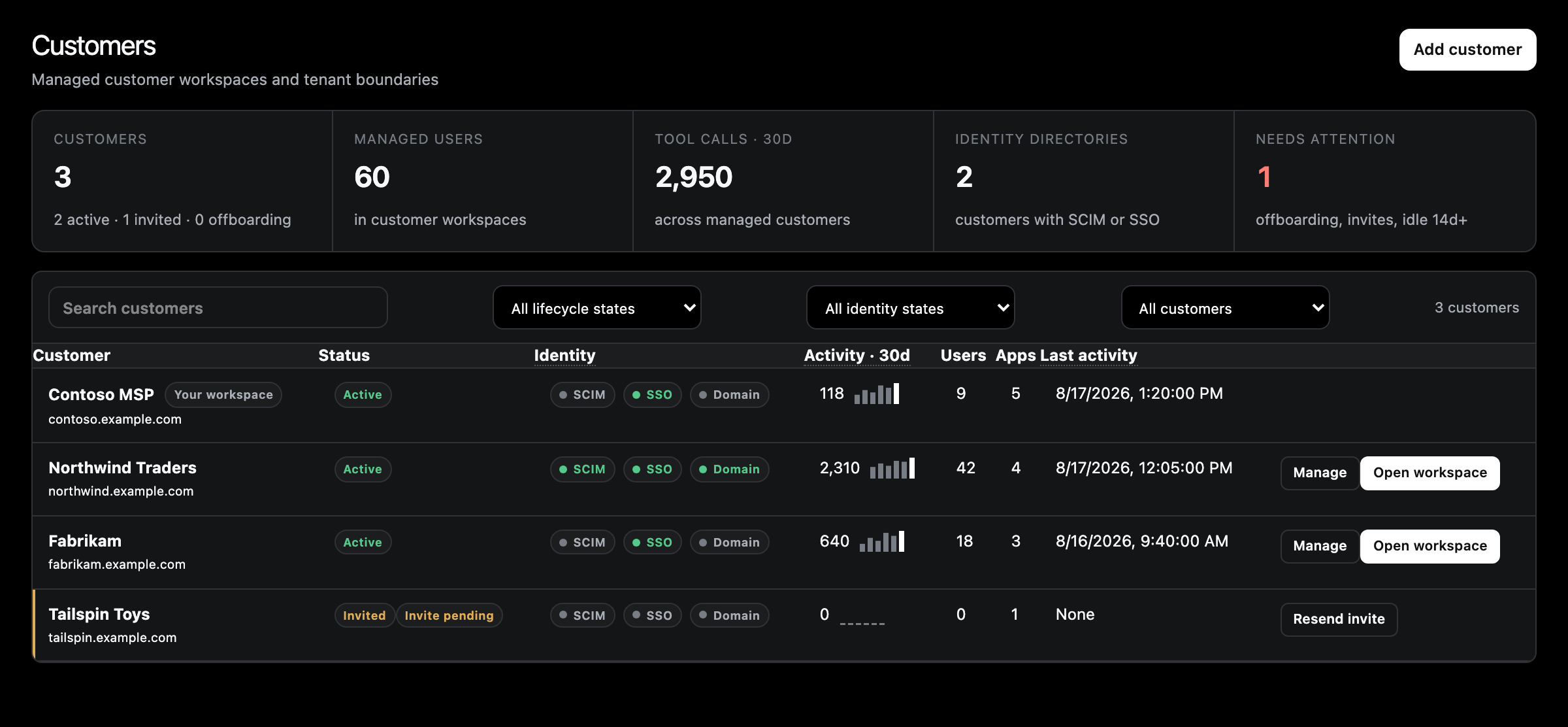
Each row is a separate workspace boundary, not a label on shared data. Your
own workspace is not a managed customer, so it is not listed or counted
here. Select View to open a customer.
The managing-account mental model
Your company workspace and each customer workspace are separate containers. The
managing account pays for customer workspaces and its owners and admins can
administer them, but each workspace keeps its own users, app connections,
credentials, and data.
| Managing workspace | Customer workspace | |
| Users | Your staff | The customer's users; owners and admins of the managing workspace can enter it to administer it |
| Apps | Connected for your own business | Connected separately for that customer |
| Credentials | Your provider accounts | That customer's provider tenant only |
| Policy | Grants and restrictions for your teams | Grants and restrictions for that customer's users |
| Audit | Your workspace's activity | Scoped to that customer; managing-account admins can filter across customers |
| Billing | Owns the subscription; managed customer workspaces bill here | No billing settings |
| Identity | Your SAML/SCIM configuration | Customer-owned SAML and SCIM included with the managed workspace |
| Custom domain | Available after verification | Available after verification |
Use a managed customer workspace when the customer requires distinct users,
connections, policies, Audit scope, or lifecycle controls. Do not use naming
conventions as a substitute for a workspace boundary.
See Workspace lifecycle for
creating, offboarding, and archiving customer workspaces,
Operate workspaces for day-to-day
administration, and
Identity & cloud access for
the included customer identity controls and optional cloud permission packs.
Scope safety
Before configuring an app or changing access, confirm you are in the right
workspace. Follow the Open a customer workspace
checklist.
Customer users should not receive access to the managing company’s internal workspace unless
that is an intentional exception approved by an administrator.